
ONYX runs its own company on this model.
We run the model we offer to customers in our own company first. The agent prepares the draft, a human makes the decision.
- Proposal → approval → execution
- Every step in the log
Log
Schematic view. Real screens below.
Four systems. One rule.
ONYX ERP
quotes · invoices · stock
Corporate mail
reads · writes drafts
Wiki · Outline
rules · documents
Task system
tasks · status
The agent prepares. A human approves.
Commercial proposalsERP · mail
InvoicesERP
Warehouse operationsERP · stock levels
Real screens.
Not numbers but the workflow: query → check → approval → trace in ERP.
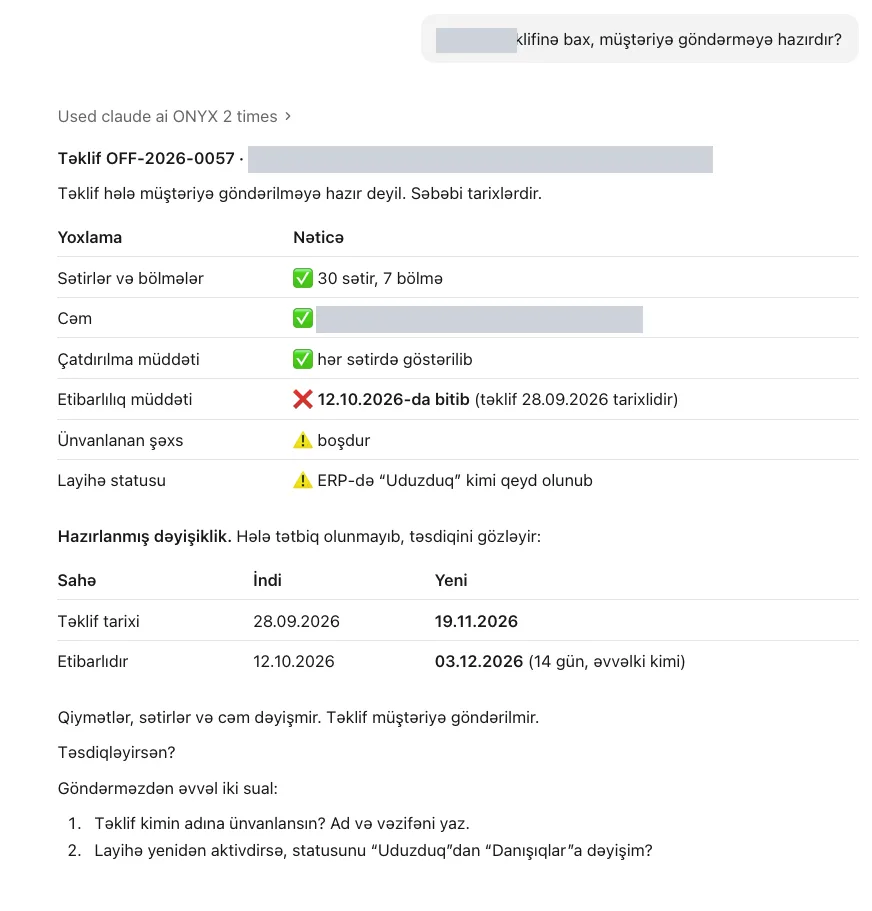
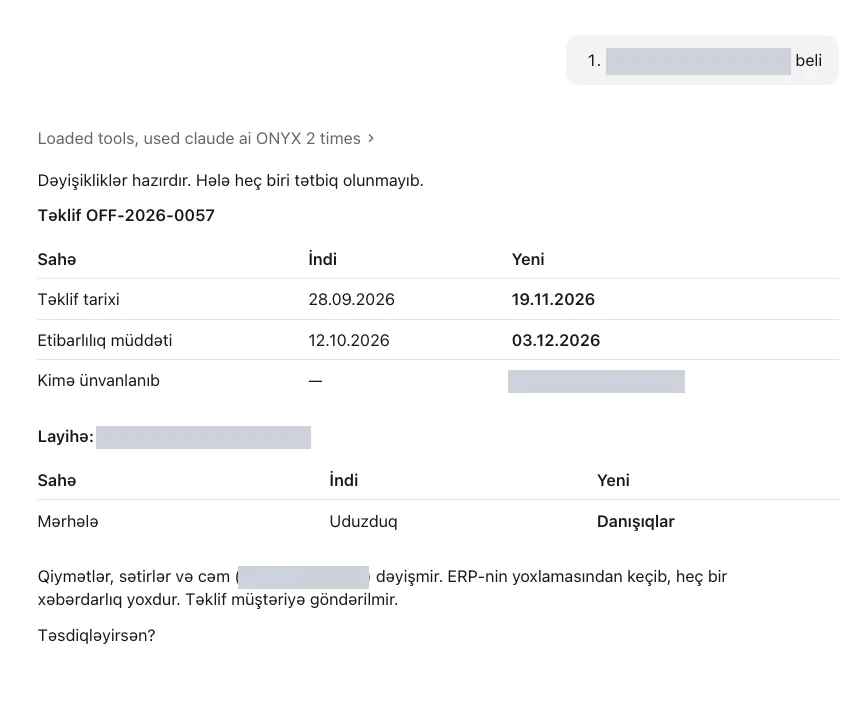
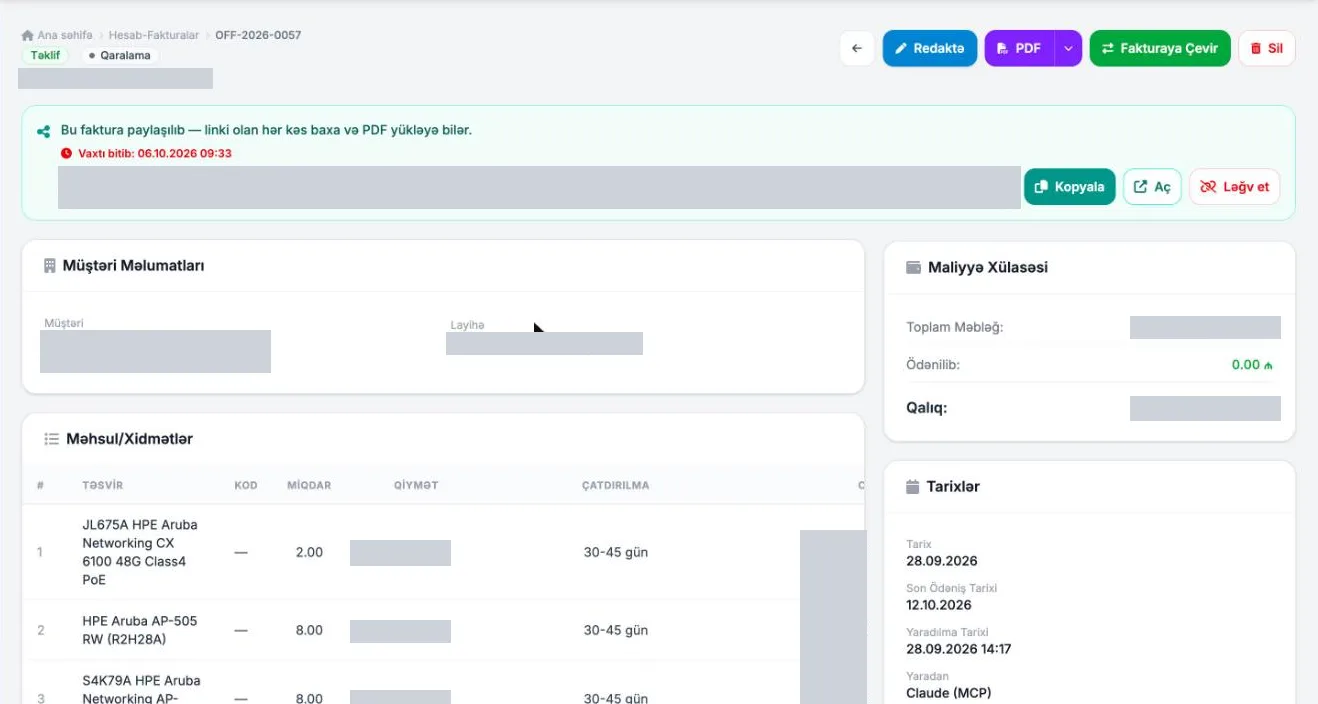
Real screens · customer name and amounts hidden
The decision stays human.
The decision is always the human's. The agent can prepare it in ERP, and it is applied only after approval. The one exception is payments and bank operations: they are outside ERP and the agent does not touch them.
- Final price and discountThe agent can prepare it in ERP; a human decides. A human confirms the final price.
- Sending a letter to the customerThe agent can prepare the letter draft in ERP; a human decides and sends it.
- Payments and bank operationsThe agent does not touch these operations — they are outside ERP.
- Contract signingThe agent can prepare the contract draft in ERP; terms and signature belong to a human.
- Changes in customer systemsThe agent can prepare it in ERP; an engineer decides and makes the change.
- First meeting with a new customerThe agent can prepare notes in ERP; introductions and negotiation stay with the team.
The same principle, in your system.
How it works: data, model, approvalResult: an AI readiness map for your company within 1 business day. No access to your systems required.
- PrincipleProposal → approval → executionThe rule that works at ONYX is the same for you
- StartOne system, one roleread-only mode
- NextApproved draft typeseach type is added at your decision
Questions.
This page gives no numbers. What it shows is the workflow.
Does this really work?
ONYX uses this model in its own processes. Concrete results are measured in your pilot.
How does it start in your company?
With one system, one role and read-only mode. The pilot starts within 7 days and lasts 30–60 days.
Run it the same way in your company.
First, a free 30-minute AI readiness check. The pilot starts within 7 days.
free